
Appearance
Theme Catalog
The themes that come with kitloom. Each one runs on the demo stand: the site as a visitor sees it, and the same site in each admin — Filament and Nova.
| Theme | Package | Engine | Needs |
|---|---|---|---|
| Pantry | kitloom/pantry-theme | Vue | Shop, Custom Fields, Media, Navigation, Shortcodes, Widgets |
| Quire | kitloom/quire-theme | React | Shop, Media, Navigation, Shortcodes, Widgets |
| Parsec | kitloom/parsec-theme | Vue | Custom Fields, Forms, Media, Navigation, Shortcodes, Widgets |
| Blade | kitloom/blade-theme | Blade | Forms, Media, Navigation, Shortcodes, Widgets |
| Journal | kitloom/journal-theme | Vue | Forms, Media, Navigation, Shortcodes, Widgets |
| Bureau | kitloom/bureau-theme | Vue | Custom Fields, Forms, Media, Navigation, Shortcodes, Widgets |
| Portfolio | kitloom/portfolio-theme | Vue | Forms, Media, Navigation, Shortcodes, Widgets |
| Game Reviews | kitloom/game-reviews-theme | Vue | Custom Fields, Post Types, Forms, Media, Navigation, Shortcodes, Widgets |
| Marketplace | kitloom/marketplace-theme | Blade | Shop, Media, Navigation, Widgets |
| Atelier | kitloom/atelier-theme | Vue | Bookings, Forms, Media, Navigation, Shortcodes, Widgets |
| Saffron | kitloom/saffron-theme | Vue | Forms, Slider, Media, Navigation, Shortcodes, Widgets |
| Keystone | kitloom/keystone-theme | Vue | Listings, Forms, Media, Navigation, Shortcodes, Widgets |
| Waypoint | kitloom/waypoint-theme | Vue | Listings, Forms, Media, Navigation, Shortcodes, Widgets |
| Lyceum | kitloom/lyceum-theme | Vue | Courses, Forms, Media, Navigation, Shortcodes, Widgets |
Every theme's Try it buttons open a sandbox of your own: a site with that theme active, filled with its demo, and only the modules it needs switched on. Every other module and theme is installed and off, as on a site that runs this theme; switch them on in the admin to try them. The sandbox is yours for three days. The Filament demo and Nova demo buttons on the home page open the Pantry store with every module switched on.
A new site keeps the themes ticked while it installs, with the modules they need (see Installation); any other is added later with the commands below. A theme's package requires the modules it needs, so Composer installs them with it. A theme cannot be activated while one of them is switched off on the Modules screen. How to install and switch a theme: Installing Themes.
Pantry
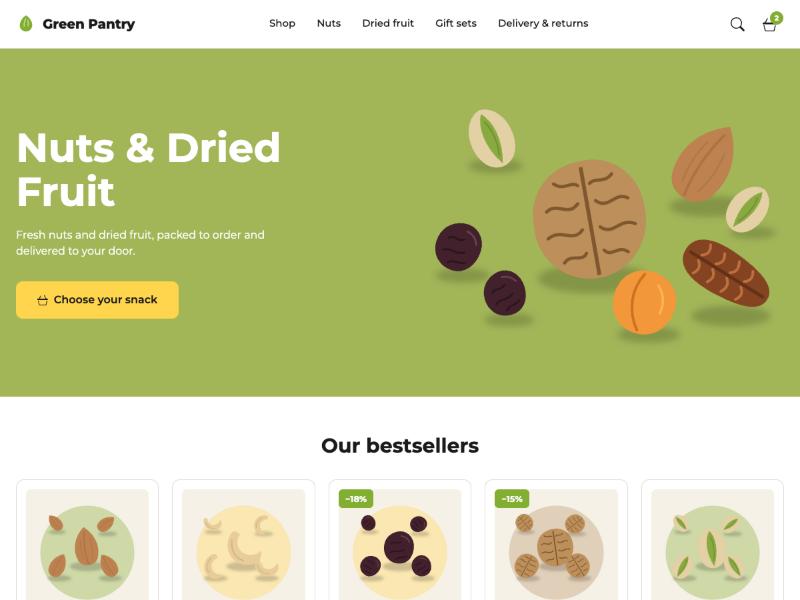
A friendly food store on Vue for the Shop module: a green banner, rows of product cards with a quantity switch and "Add to cart" right on the card, picture tiles of the categories, a yellow sale band, customer reviews and a benefits grid; the catalog, product, cart and checkout pages in the same style.
Pages: the storefront front page, the shop page and product categories and tags as catalogs (category menu, sorting, "Load more"), a product, the cart and a numbered checkout, and pages, posts, lists and
404.Edited where WooCommerce keeps it: the banner is the front page's title, excerpt and featured image; its sections are the shop's shortcodes —
[products](withon_saleit lies on the sale band) and[product_categories]— in the page's text; the reviews are the shop's newest approved ones. A Storefront field group on the front page holds only the banner's button and the benefits.Menus: Pantry header, Pantry footer links, Pantry social links.
Install:
bashcomposer require kitloom/pantry-theme php artisan pantry:demo # a made-up store of nuts and dried fruit, its pages and menus npm run build:themes
Quire
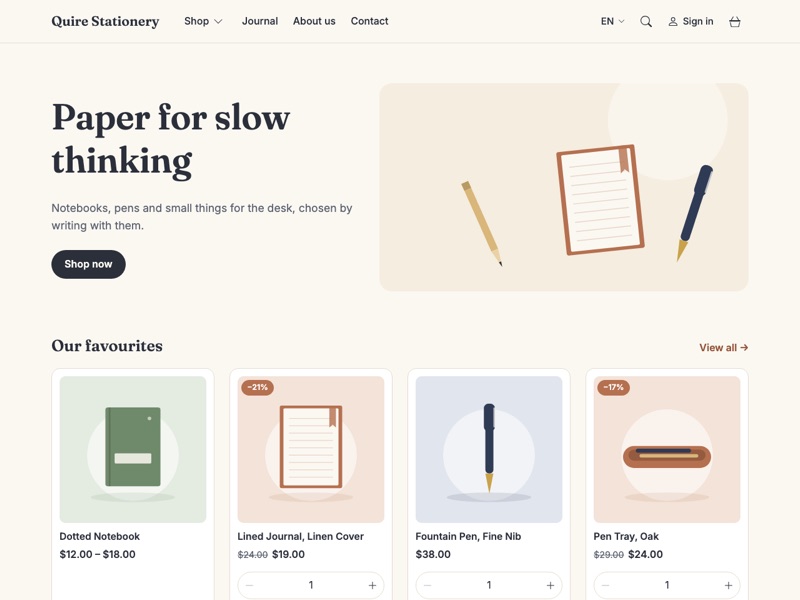
A quiet stationery shop on React for the Shop module, in English and French: a banner, rows of product cards with a quantity switch and "Add to cart" right on the card, picture tiles of the categories, a sale band; the catalog, product, cart, checkout and account pages in the same style, and a journal. The first theme here written in React — TypeScript templates on @inertiajs/react (see Writing a Theme → React).
Pages: the storefront front page, the shop page and product categories and tags as catalogs (categories beside them, attribute filters, sorting, "Load more"), a product with its gallery, options and reviews, the cart with the delivery choice and coupons, a numbered checkout, the account (sign in or up, orders, details, addresses), the journal, search, pages, posts and
404.Edited where WooCommerce keeps it: the banner is the front page's title, excerpt and featured image; its rows are the shop's shortcodes —
[products](withon_saleit lies on the sale band) and[product_categories]— in the page's text. The theme has no fields of its own.In several languages: with Languages the header draws the language switcher, and the theme's own words follow the page's language from its
lang/fr.json. The demo makes the store bilingual: French products, categories, pages and posts, French addresses (/fr/boutique/).Menus: Quire header (items under an item open as a dropdown), Quire footer links; a widget zone above the footer.
Install:
bashcomposer require kitloom/quire-theme php artisan quire:demo # a made-up stationery shop, in English and French with kitloom/languages npm run build:themesIt needs
react,react-dom,@inertiajs/reactand@vitejs/plugin-reactin the application'spackage.json; the skeletons have them. See Installing Themes.
Parsec
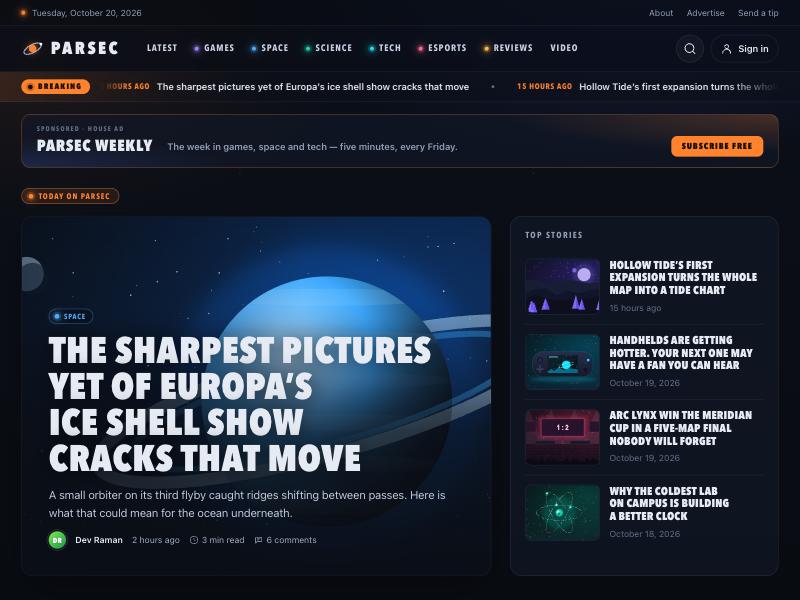
A dark news magazine on Vue, phones first, for games, space and tech — or any newsroom that wants a night sky behind its headlines: a lead story with the next ones beside it, a breaking ticker, sections in colours of their own, the editor's picks, the most discussed stories, a video strip, long reads with an author box and related stories, and banner zones ready for advertisements. It needs no module of its own: the magazine runs on ordinary posts.
Pages: the front page (lead and top stories, editor's picks, the sections two by two, the most discussed, the newsletter, the video strip), the "Latest" page, every section, tag and month, an author, a story, pages (the account among them), search and
404.Edited where WordPress keeps it: categories are the sections, each with a Colour field; sticky posts are the editor's picks; the
videotag fills the video strip; approved comments decide the most discussed; a story's cover, dek and author box are its featured image, excerpt and the author's Biographical Info.Advertisements: the header banner, the in-article box (after a story's third paragraph) and the sidebar take any widget — a Custom HTML widget holds a partner's banner or script as it is, and a tracker goes through Cookie Consent when the site has it.
Menus: Parsec sections, Parsec top bar, Parsec footer links, Parsec social links; widget zones Parsec header banner, in-article, sidebar, newsletter and footer.
Install:
bashcomposer require kitloom/parsec-theme php artisan migrate php artisan parsec:demo # a magazine: five authors, thirty stories in six sections, comments with replies, editor's picks, house banners in the ad zones npm run build:themesComments under the stories and the most discussed need the Comments module.
Blade
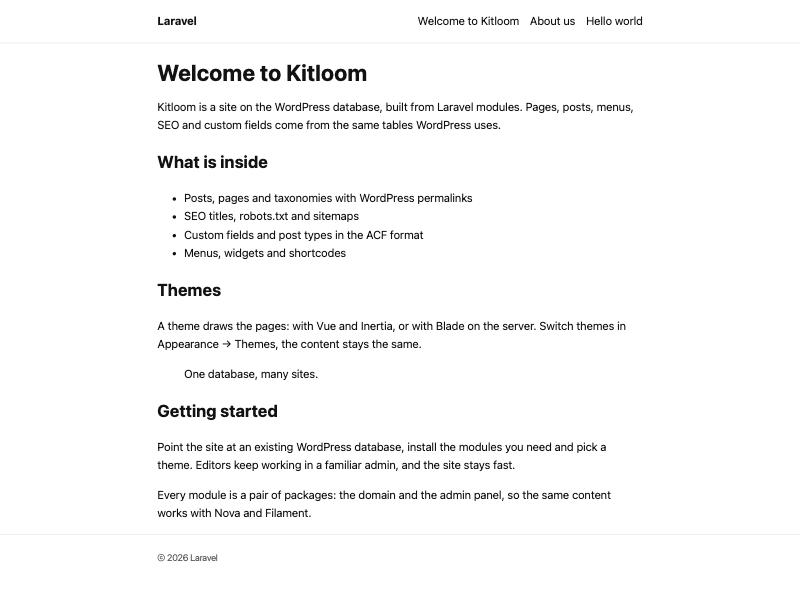
The base theme: the whole page is rendered on the server, with no build step, no SSR server and no JavaScript framework. A plain text layout — the site title, a menu with sub-items, breadcrumbs, featured images, a sidebar and footer widgets. Its templates are the ones the hierarchy ends in — index, single, page, archive, 404 — so it shows any content a site has, however it was made, plus coming-soon for Maintenance. Its ID, for APP_THEME, is BladeTheme.
Use it for a plain site, or as the starting point for a Blade theme of your own: make a child theme of it (
kitloom:make-theme Ledger --parent=BladeTheme), or copy it and rename it.Menus: Blade header (two levels), Blade footer links, Blade social links; widget zones Blade sidebar and Blade footer.
Contact page on Forms; comments under posts and pages with the Comments module.
Install:
bashcomposer require kitloom/blade-theme php artisan blade:demo # a reading blog: posts with covers, comments, About, Contact and Privacy, menus and widgetsNothing to build.
Journal
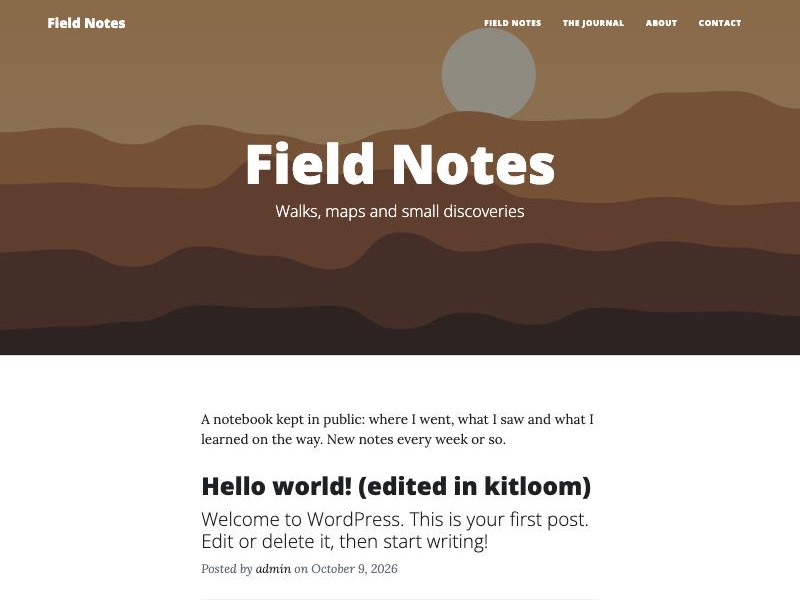
A personal blog on Vue 3 and Inertia, made from Start Bootstrap's Clean Blog template (MIT): big photo headers, a quiet list of posts with subtitles, category, tag and author pages, a contact page.
Content: none of its own. Everything is edited where WordPress keeps it: a post's or page's featured image is its header photo, its hand-written excerpt the line under the title; lists borrow the blog page's picture (Settings → Reading); the menu and the social icons are two menu locations.
Pages: the front page (its title, excerpt and picture over the newest posts — or the blog itself), the blog page, a post, a page, category, tag, author and date lists, search,
404.Contact page on Forms.
Install:
bashcomposer require kitloom/journal-theme php artisan journal:demo # posts with pictures, Home, The Journal, About and Contact, menus npm run build:themes
How it was made from the HTML template: From an HTML Template.
Bureau
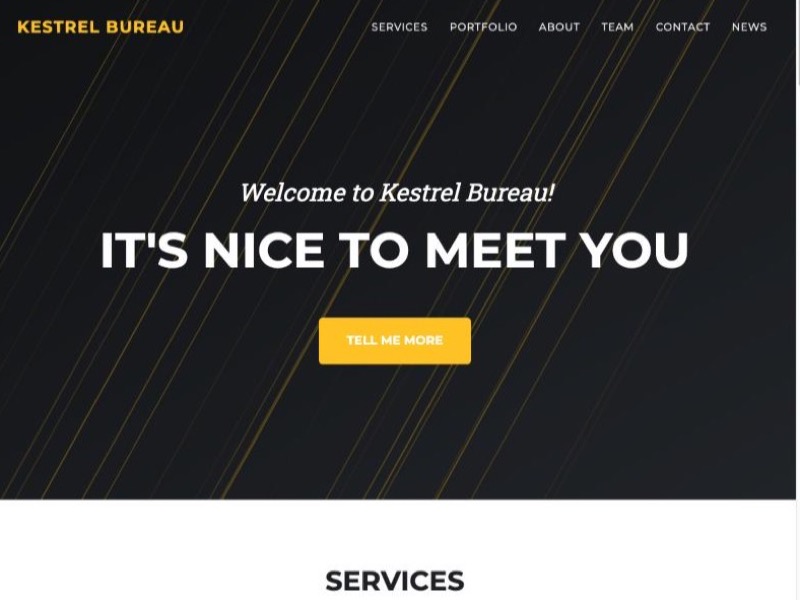
A one-page agency site on Vue 3 and Inertia, made from Start Bootstrap's Agency template (MIT): a big header, services, a portfolio with full-screen pop-ups, a timeline, the team, client logos and a contact form — and the rest of the site in the same style.
Content: the front page's sections are a field group of Custom Fields, Front page sections, with a tab per section. The theme's migration writes it on activation; editors fill it in on the form of the page set as the front page, in either admin. A section left empty is left out.
Portfolio: posts or pages picked in a field — their featured image, title and first category on the tile, the excerpt in the pop-up.
Menus: the header (links like
/#servicesscroll to the sections), social icons, footer links.Install:
bashcomposer require kitloom/bureau-theme php artisan bureau:demo # a made-up agency with every section filled in npm run build:themes
Portfolio
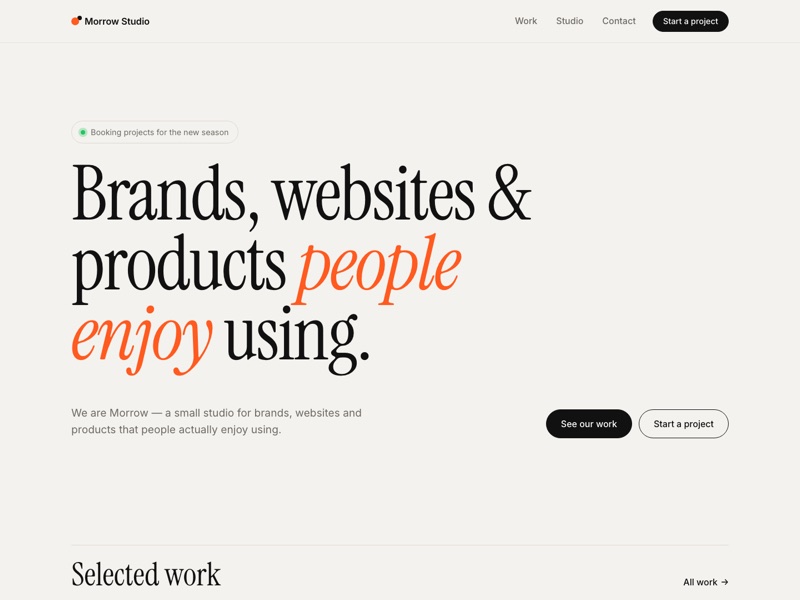
A design studio's portfolio on Vue 3 and Inertia: case studies with galleries and results, a work grid filtered by discipline, studio and contact pages.
Content: a
projectpost type (the case studies) withproject_typedisciplines. Both admins get their screens — Projects and Disciplines.Pages: the front page, a project, a discipline's projects, an archive, an author, a page, a post,
404.Shortcode:
[portfolio]with the attributes of Jetpack's portfolio shortcode (display_types,include_type,columns,showposts,order), plus the theme's ownfeatured,title,linkandfilter— discipline chips above the grid.Contact page on Forms.
Install:
bashcomposer require kitloom/portfolio-theme php artisan portfolio:demo # disciplines, case studies, Work, Studio and Contact pages npm run build:themes
Game Reviews
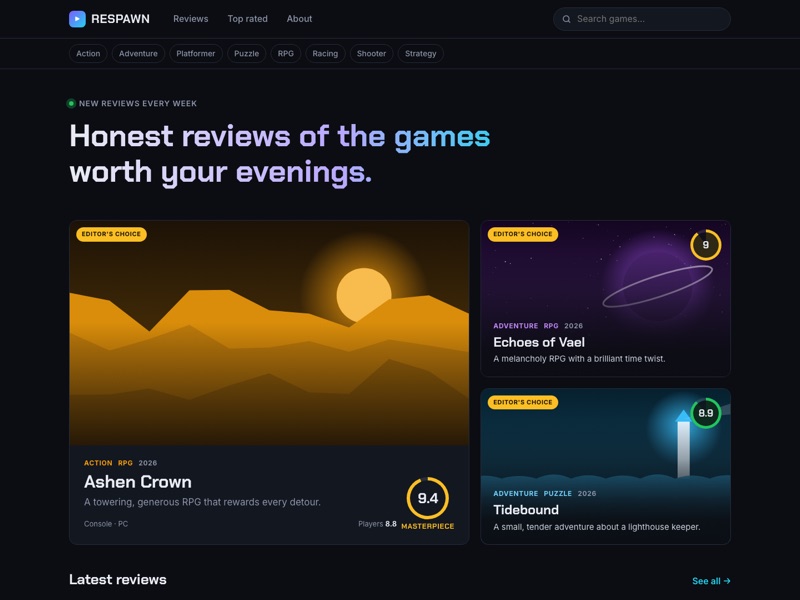
A video game review site on Vue 3 and Inertia: scored reviews with verdicts, pros and cons, player ratings, genre and platform pages, live search.
It is also the reference theme for what a theme can bring on top of the platform, and every mechanism is in use: migrations run on activation, a config, its own models, shortcodes, page parts, shared props and a REST namespace.
Content: a
game_reviewpost type withgame_genreandgame_platformtaxonomies, and a "Review details" field group — score, verdict line, pros, cons, developer, publisher, release date, playtime, trailer, cover, accent colour, editor's choice. The theme's migrations write them through Post Types and Custom Fields, so editors change them in the admin like any other type.Player ratings: visitors vote from 1 to 10. Votes are kept in the theme's own table, one per visitor and review, throttled, with the visitor's address stored only as a hash.
Pages: the front page (the editor's picks as a hero, then lists), a review, a genre or platform page sorted by date or score, and the rest of the hierarchy.
Shortcodes:
[game_reviews]— a grid, list or hero of reviews by genre, platform, score or editor's choice;[verdict]— the verdict box with a score.API:
/wp-json/game-reviews/v1/— the header's live search and the player ratings.Install:
bashcomposer require kitloom/game-reviews-theme php artisan game-reviews:demo # genres, platforms, 12 reviews, votes, pages, menu npm run build:themesAll the games, studios and publishers in the demo are made up.
Marketplace
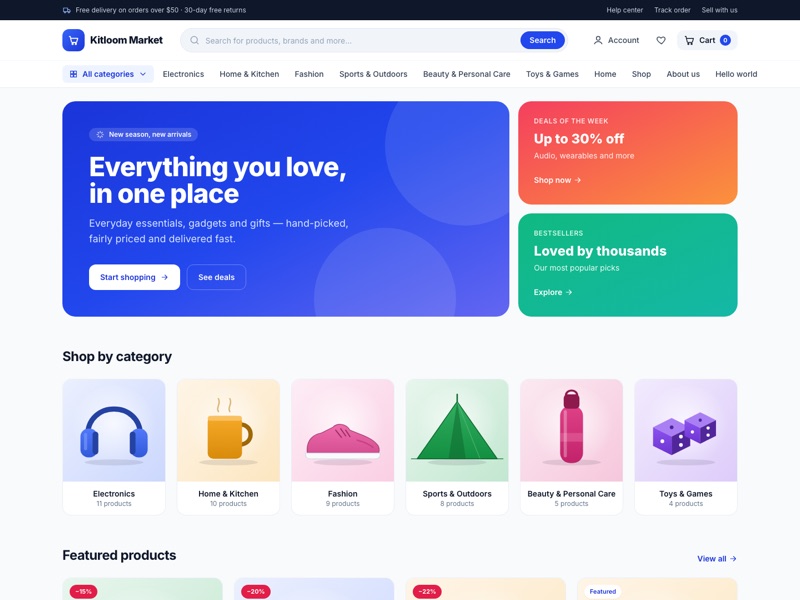
A storefront for the Shop module, rendered on the server: a home page with featured products and categories, a catalog with filters and sorting, product pages with a gallery and reviews, the cart and checkout.
Pages: the front page, a product, a product category, a product tag, the shop's archive, and pages, posts, authors and
404.Shortcodes: WooCommerce's —
[products],[product_categories],[woocommerce_cart],[woocommerce_checkout]— drawn by the theme, so the cart and checkout are ordinary pages that hold them.Styles: its Tailwind CSS is prebuilt in the package and inlined into the page: the site builds nothing.
Install:
bashcomposer require kitloom/marketplace-theme php artisan marketplace:demo # the shop's products, pages, a blog, menus and footer widgets
Atelier
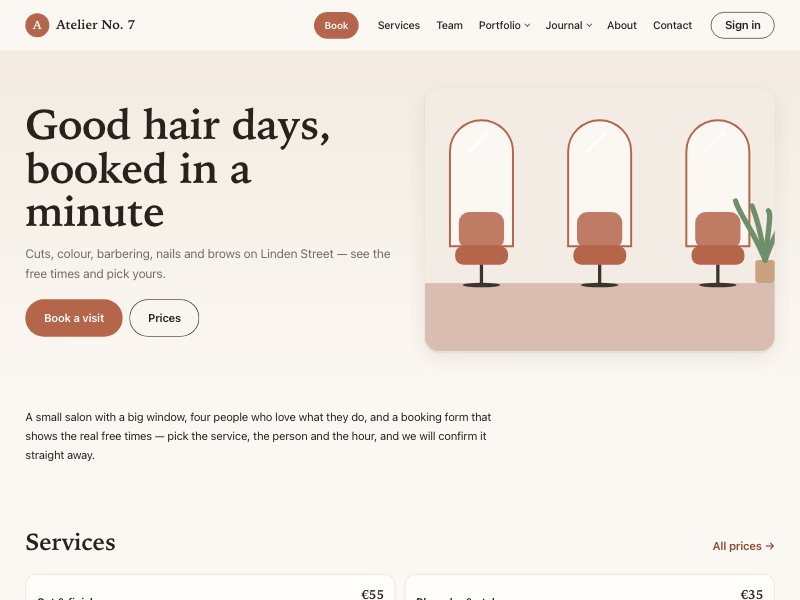
A salon on Vue, made for phones first: hair salons, barbers, nail and brow studios. Services with their prices, the team, a portfolio with before and after, reviews, a journal, and online booking with the real free times. The booking itself is the Bookings module; the theme draws its form, the price list and the team.
Pages: the front page, Book (service, then who, then day and time, then details), Services, Team, the portfolio and its styles, the journal, pages, posts and
404. On a phone a Book now bar stays at the bottom of every other page.Edited where it is kept: services, staff and opening hours in Bookings; the hero is the front page's title, excerpt and featured image; the portfolio is a type of the theme's own, Atelier → Portfolio, with the after picture as the featured image.
Accounts: a client sees their appointments on the account page; a staff member linked to a site user sees their day.
Menus: Atelier header, Atelier footer links, Atelier social links; widget zones beside the journal and above the footer.
Install:
bashcomposer require kitloom/atelier-theme php artisan migrate php artisan atelier:demo # the demo salon: services, staff, works, bookings, pages and menus npm run build:themesThe booking form needs
date-fnsin the application'spackage.json(npm install date-fns@^4); the skeletons have it.
Saffron
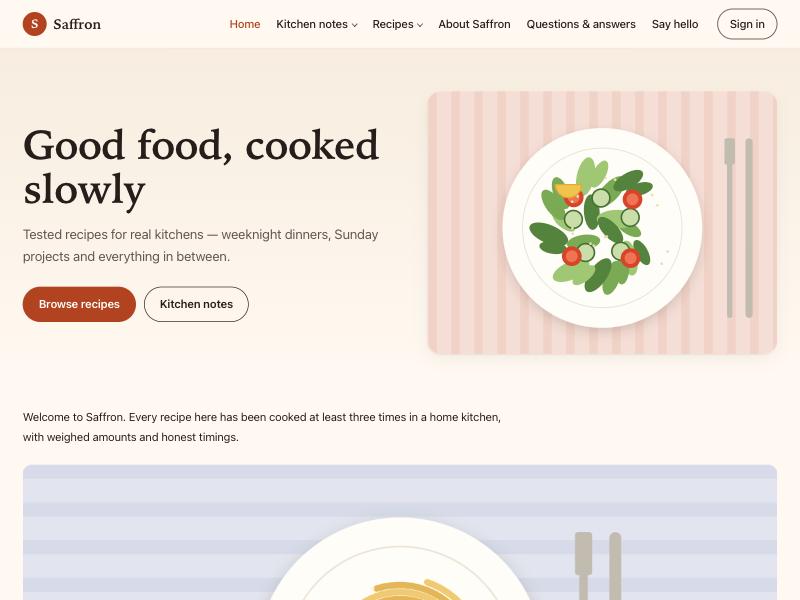
A food blog on Vue: recipes with a proper recipe card — prep and cook times, servings, difficulty, calories, a vegetarian mark, ingredients to tick off while cooking and a numbered method — grouped by cuisine, kitchen notes, comments on both, a slider on the front page, a contact form and the visitor's account. Warm cream and saffron colours, serif headings, and recipe pages that print as a clean card.
Content: recipes are the theme's own type, Saffron → Recipes, with Cuisines, edited in either admin; a recipe's card (times, servings, difficulty, calories) lives in the theme's own tables, its ingredients and method a line each.
Pages: the front page (a Slider and the newest recipes),
/recipes/with a filter bar (level, vegetarian, quickest or lightest first), a recipe, a cuisine, the blog, pages, posts, lists and404.Contact page on Forms; the account page on Settings → Reading.
Menus: Saffron header (two levels), Saffron footer links, Saffron social links; widget zones beside posts and lists and above the footer.
Install:
bashcomposer require kitloom/saffron-theme php artisan saffron:demo # ten recipes, kitchen notes, the pages, menus and widgets npm run build:themesThe slider needs
@glidejs/glidein the application'spackage.json(npm install @glidejs/glide@^3.6); the skeletons have it.
Keystone
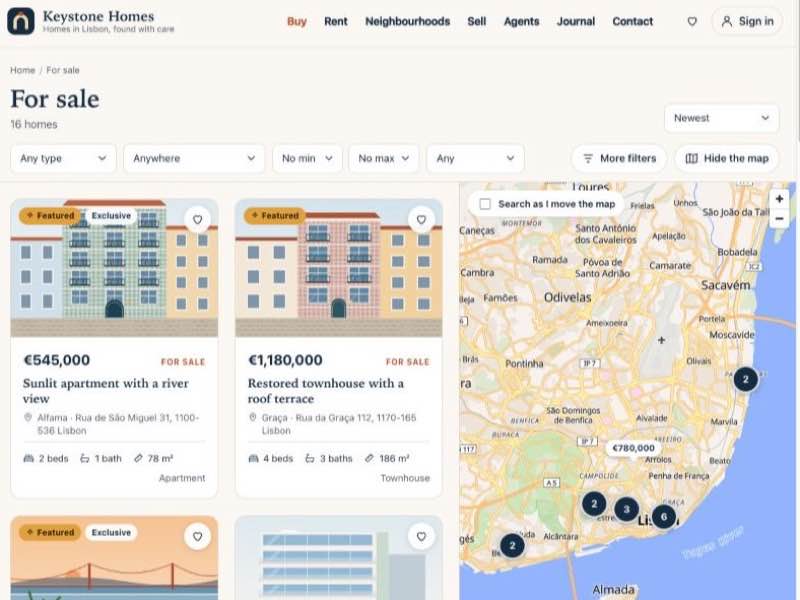
A real estate agency on Vue, made for phones first: a search with filters and a map, property pages with their pictures, facts, floor plans, a map and a mortgage calculator, agents and agencies with their homes, an enquiry form on every page that sells, saved homes on the visitor's account, and a journal. The homes are the Listings module's, on Houzez's data, so a site that ran Houzez keeps its properties, agents, agencies and leads as they are.
Pages: the front page (a search over the hero, featured homes, places, the newest homes, the agents, a call to sell, the journal),
/property/and every term's list (/status/for-sale/,/area/alfama/) with the filters in the address and the map beside the list, a home, an agent, an agency, the journal, pages, posts and404.Edited where Houzez keeps it: a home's price, rooms, address, point on the map, gallery, floor plans and agents in Listings → Properties; agents and agencies in their own screens; the hero is the front page's title, excerpt and featured image; currency, area unit and the map's style in Listings → Settings.
Accounts: a visitor sees their saved homes on the account page; an agent linked to a site user answers the enquiries sent to them there.
Menus: Keystone header (two levels), Keystone footer links, Keystone social links; widget zones beside the journal, under a home's enquiry form and above the footer.
Install:
bashcomposer require kitloom/keystone-theme php artisan migrate php artisan keystone:demo # an agency in Lisbon: twenty-four homes, four agents, enquiries, a journal, pages and menus npm run build:themesThe map needs
maplibre-glin the application'spackage.json(npm install maplibre-gl@6); the skeletons have it.
Waypoint
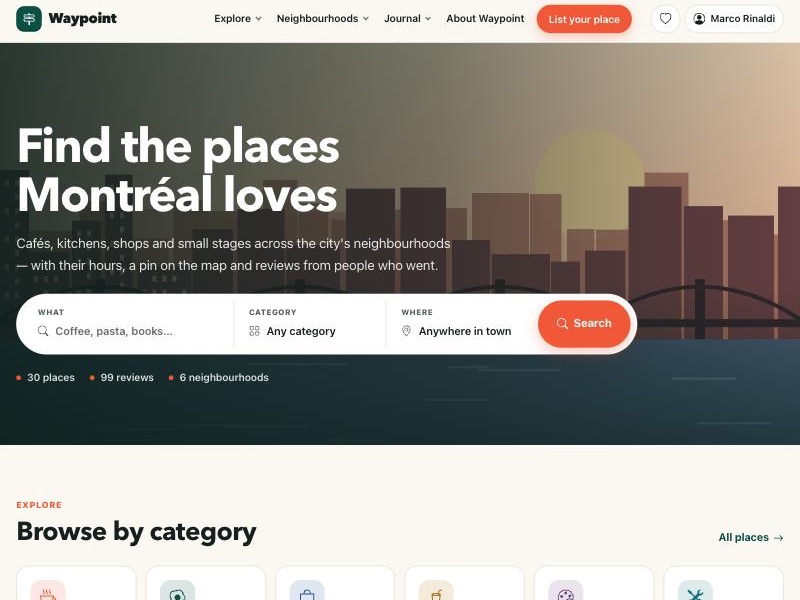
A city guide on Vue: independent places by category and neighbourhood, a search beside a map, opening hours with "Open now", reviews with stars, questions to the owner, saved places and a journal. The places are the Listings module's directory, on Listeo's data, so a site that ran Listeo keeps its listings, hours and reviews as they are.
Pages: the front page (a search over the hero, the categories, featured places, neighbourhoods, top rated, a call to owners, the journal),
/listing/and every category, region and feature with the filters in the address and the map beside the list, a place, the journal, pages, posts and404.Edited where Listeo keeps it: a place's address, point on the map, price range, contacts and opening hours in Listings → Listings; categories, regions and features as its terms; reviews are comments on the place; the hero is the front page's title, excerpt and featured image.
Accounts: a visitor sees their saved places on the account page; an owner answers the questions about their places there.
In several languages: the theme's own words come in French from its
lang/fr.json, with a language switcher in the header when Languages is installed.Menus: Waypoint header (an item with the CSS class
buttonis drawn as one), Waypoint footer links, Waypoint social links; widget zones beside posts and pages and in the footer.Install:
bashcomposer require kitloom/waypoint-theme php artisan waypoint:demo # thirty places in six neighbourhoods of Montréal, with hours, owners and reviews npm run build:themesThe map needs
maplibre-glin the application'spackage.json(npm install maplibre-gl@6); the skeletons have it.
Lyceum
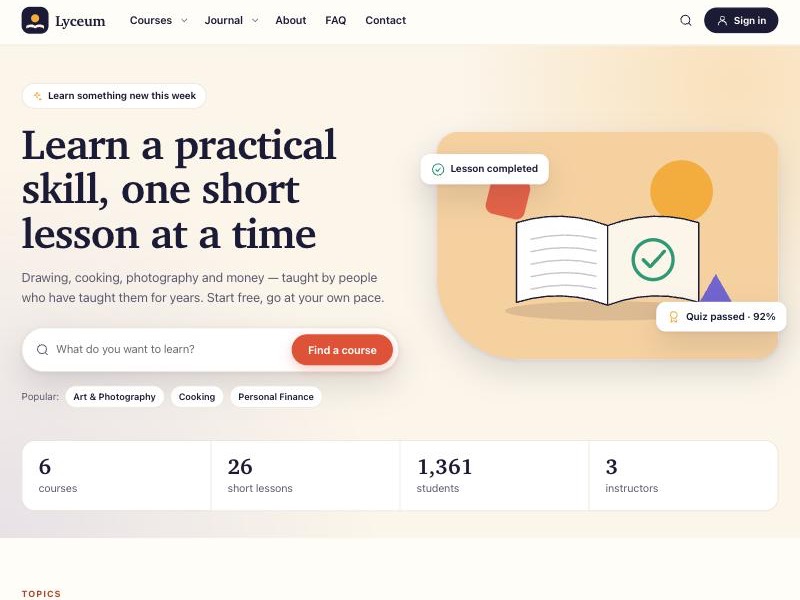
An online school on Vue, made for phones first: a catalog of courses with filters, course pages with the one button that enrolls, sells or continues, a lesson player with the curriculum beside it, timed quizzes of every kind with their score and review, "My courses" on the student's account, and a journal. The courses are the Courses module's, on LearnPress's data, so a site that ran LearnPress (and Eduma) keeps its courses, students and their progress as they are.
Pages: the front page (a search over the hero, the categories, featured courses, why learn here, the instructors, what students say, the journal),
/courses/and every category and tag with the filters in the address, a course, its lessons and quizzes inside it (/courses/{course}/lessons/{lesson}/), an instructor, the cart and checkout for paid courses, the journal, pages, posts and404.Edited where LearnPress keeps it: a course's curriculum, level, duration, requirements and FAQs in Courses; lessons, quizzes and their questions in their own screens; a paid course is sold by a shop product (Sell in the shop on the course); the hero is the front page's title, excerpt and featured image.
Accounts: a student signs up on the account page, finds their courses with their progress under My courses, and comes back to the course after signing in.
Menus: Lyceum header, Lyceum footer links, Lyceum social links; widget zones beside the journal, on a course's page and above the footer.
Install:
bashcomposer require kitloom/lyceum-theme php artisan migrate php artisan lyceum:demo # a school: six courses by three instructors, lessons, quizzes of every kind, students with their progress, two paid courses npm run build:themesPaid courses need the Shop module; without it every course is free to take.